How to Make Your Website Project a Resounding Success (Part 2): Mastering Client Discovery & Avoiding 5 Costly Pitfalls
Master client discovery in web development to prevent scope creep, speed bottlenecks, and misaligned expectations. Explore the 5 critical requirements questions, common traps, and kickoff frameworks.
How to Make Your Website Project a Resounding Success (Part 2): Mastering Client Discovery & Avoiding 5 Costly Pitfalls
Embarking on any enterprise digital build—whether developing a corporate marketing platform, a headless commerce experience, or a technical SaaS product hub—hinges entirely on a single foundational discipline: thoroughly mastering client discovery before writing code.
Get this discovery stage wrong, misdiagnose the underlying business objective, or leave architectural assumptions unverified, and your delivery teams will spend the remainder of the build firefighting scope disputes, emergency refactoring, and blown delivery budgets. In custom web development, discovery debt always compounds with brutal interest.
A pervasive fallacy within digital agencies is the belief that requirements gathering belongs exclusively to the sales department. While sales executives define macro business goals and initial Statements of Work (SOW), they rarely uncover hidden architectural dependencies, CMS governance bottlenecks, or strict performance thresholds.
As technical delivery teams (project managers, solutions architects, and lead engineers), it is your imperative to take ownership of discovery. The deeper and more forensic your inquiries are during the pre-kickoff phase, the less operational friction your sprint cycles will endure.
Here is our comprehensive breakdown of the 5 critical discovery questions you must ask, the pitfalls that derail unprepared projects, and the actionable engineering blueprints required for lasting success.
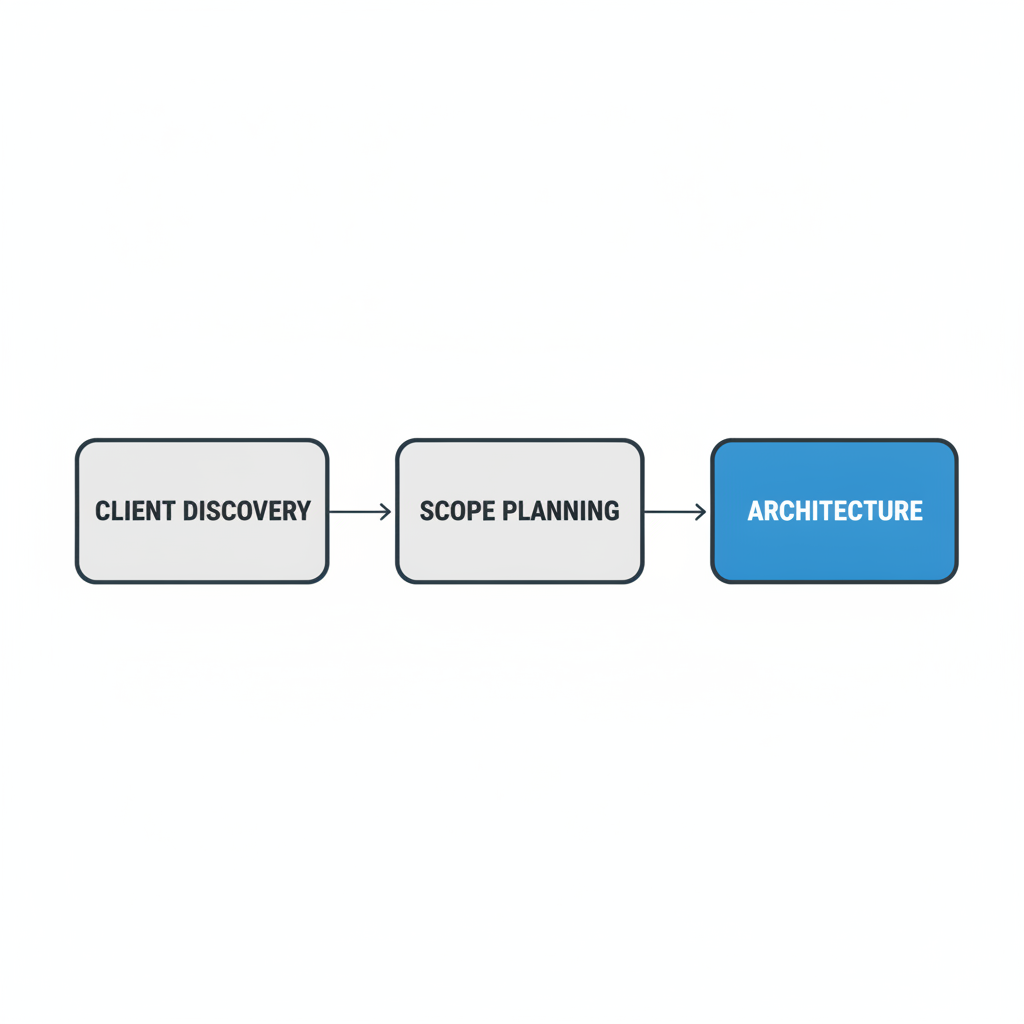
1. How Many Pages Will the Website Have? (Defining Technical Scope, Template Complexity, and Freezing Boundaries)
"Our website requirements are very simple—probably just a few basic pages." This is the universal opening line delivered by prospective clients. Yet, the moment you transition from high-level conversations to concrete architectural inventory, that casual "handful of pages" almost invariably expands into 25, 40, or even 50 distinct URLs and view states.
The Critical Pitfall: Unfrozen Scope and Template Explosion (Scope Creep)
Failing to establish a frozen, granular page inventory upfront leaves development teams completely exposed to scope creep. In non-technical minds, a "page" is simply text and pictures. Clients rarely recognize that an interactive comparison table, a dynamic pricing calculator, or a filtered resource library each introduce distinct database queries, component states, and responsive layout rules.
Midway through active development, informal feature requests begin surfacing: "Could we quickly spin up dedicated landing pages for regional campaigns?", "We also need customized 404 and 500 error pages", or "Let's introduce a multi-category searchable blog archive." If these assets are not contractually bounded, your sprint velocity stalls, project margins evaporate, and team morale deteriorates under unbilled overtime.
The Actionable Solution: The Page Complexity Matrix & Frozen Visual Sitemap
During discovery, replace vague text lists with a structured Page Template Complexity Matrix:
| Page Categorization | Concrete Page Examples | Architectural & Engineering Mandate |
|---|---|---|
| Static Singleton Pages | Homepage, About Us, Company Mission, Contact Us | Bespoke visual layout, tailored hero components, custom micro-copy. High design hours, predictable engineering. |
| Dynamic CMS Collections | Blog articles, Product Feature subpages, Case Studies | Single modular template layout fed dynamically via Headless CMS or relational database. Highly scalable. |
| Interactive State Views | Tiered pricing calculator, multi-step RFQ form, user portal | Heavy state management, client-side validation, error handling, third-party webhook integrations. High QA overhead. |
| System & Fallback Views | Dynamic 404 error page, empty search states, legal policies | Accessible fallbacks, search indexation controls (noindex, follow), crawl efficiency preservation. |
By presenting this matrix during discovery, you immediately educate non-technical stakeholders on why "10 dynamic case studies" cost dramatically less than "10 completely custom static product presentations."
Simultaneously, construct an interactive, hierarchical Visual Sitemap mapping primary navigation, utility links, nested subpage hierarchies, and taxonomy structures.
Once validated, this visual sitemap is formally appended to the technical specification, establishing a contractual Scope Freeze Milestone. Any page or structural template requested beyond this baseline must follow a formalized Change Request (CR) Protocol, requiring an explicit adjustment to project timelines and commercial budgets.
For deeper architectural guidance on how clean structural hierarchies impact search engine discovery, consult Google Search Central's Sitemap Guidelines, and discover how SurgeOrb's AI SEO Suite programmatically architects content hubs for massive indexation efficiency.
2. Who Is the True Target Audience? (Distinguishing Corporate Identity from Actionable Buyer Personas)
Understanding who will actually browse, evaluate, and convert on the web interface is the foundational compass for all Information Architecture (IA), copy tone, and User Experience (UX) engineering. A digital platform built for Fortune 500 enterprise security officers demands a radically different visual hierarchy, credibility threshold, and navigation pace than a consumer-facing FinTech product designed for digital natives.
The Critical Pitfall: Conflating Corporate Identity with Actual User Archetypes
The most frequent mistake during audience discovery is accepting the client's high-level industry category at face value. In real-world web delivery, the person signing the contract is rarely the primary persona navigating the website day-to-day:
- Deep-Tech and AI Infrastructure Startups: Technical founders naturally want to showcase architectural benchmarks, GPU cluster performance, and raw SDK code. However, if the website's primary commercial objective is raising venture capital or securing enterprise procurement, the actual audience is non-technical investors and corporate CFOs who care about total cost of ownership (TCO) and business scalability.
- Higher Education and Specialized Academies: While the educational product serves students, the actual user executing financial checkout and evaluating institutional accreditation is an anxious parent navigating on a mobile device.
- B2B SaaS and Enterprise Software: The end-user operator cares about interface simplicity and speed; the economic buyer cares about SOC 2 compliance, audit logs, Single Sign-On (SSO) support, and ERP integration.
The Actionable Solution: Co-Creating Dual-Track Persona Profiles
During client discovery interviews, push past generic demographic statements. Instead, facilitate a structured workshop to define Dual-Track Personas:
- The Primary Evaluator (The Gatekeeper / End-User):
- The Immediate Pain Trigger: What operational friction forced them to search for a solution today?
- Browsing Context: Are they conducting research on a 27-inch dual-monitor workstation, or scanning alternatives on an iPhone over mobile networks?
- Micro-Conversion Goal: What low-commitment action validates their interest? (e.g., viewing an interactive sandbox, checking API documentation, calculating pricing).
- The Economic Decision-Maker (The Executive / Budget Holder):
- Risk Aversion Factors: What potential disasters are they actively trying to avoid? (e.g., data breaches, regulatory penalties, vendor abandonment).
- Trust Infrastructure Required: What proof points must be prominently visible? (e.g., customer testimonial videos, enterprise case studies, verified uptime metrics, third-party security badges).
- Macro-Conversion Goal: Direct engagement via formal demo scheduling, RFQ submission, or enterprise contract procurement.
Anchor your information architecture directly around these dual tracks, providing clear navigational branch points on the homepage so each persona immediately finds their customized evaluation path. For empirical frameworks on persona research, reference the Nielsen Norman Group (NN/g) Guide to Persona Research.
3. Does the Client Already Have an Existing Website? (Mining Behavioral Data, Decoupling CMS Frustrations, and Protecting SEO Equity)
An existing website is simultaneously the project team's greatest strategic asset and its most dangerous operational minefield. A live digital footprint holds years of empirical user behavior, search engine authority, and customer feedback. Discarding or overhauling an existing web property without exhaustive technical forensics almost guarantees severe post-launch disruptions, including catastrophic organic search traffic collapses.
The Critical Pitfall: Aesthetic "Reskinning" That Destroys Organic Authority and Repeats Systemic CMS Flaws
When clients approach agencies for redesigns, their grievances are almost universally aesthetic: "Our current site looks outdated, cluttered, and amateurish." If the project team blindly accepts this cosmetic diagnosis, they consistently walk into three disastrous traps:
- Ignoring the Root Causes of CMS Dysfunction: The marketing team is frustrated not because the frontend looks old, but because their legacy CMS requires an external engineer every time they want to update an image, create a landing page, or modify a navigation link. Rebuilding the visual skin while preserving a clunky, monolithic CMS architecture simply replicates the client's operational bottleneck.
- Unplanned Content Migration Disasters: The existing site has accumulated hundreds of deprecated blog posts, orphan author pages, and uncompressed PDF assets. Re-importing this unstructured digital clutter without a strict audit pollutes the new database and inflates maintenance costs.
- Organic Search Visibility Obliteration (The 404 Catastrophe): The existing site has spent years earning valuable backlinks, keyword rankings, and organic authority. The new build introduces cleaner URL slugs but neglects to configure explicit 301 redirect mappings. Search engine spiders encounter thousands of 404 errors, Google de-indexes the domain's legacy ranking pages, and organic inbound leads drop by 60%–80% within two weeks of launch.
The Actionable Solution: The Technical SEO Migration Protocol & Content Audit
Before designing a single wireframe for a client with an existing web presence, execute the following technical protocol:
- Extract Historical Analytics and Query Equity:
- Mine Google Analytics 4 (GA4) and Google Search Console data over the trailing 12–24 months.
- Isolate the "Power 10%" URLs—the top tier of pages generating 90% of all organic clicks, impressions, and conversions. These URLs must receive top-priority structural protection in the new Information Architecture.
- Execute the Content Audit Matrix (Keep, Improve, Consolidate, Prune):
- Keep: High-performing, authoritative pages that migrate cleanly into the new design system.
- Improve: Valuable topics that suffer from poor formatting or outdated facts; schedule them for editorial expansion.
- Consolidate: Multiple thin, overlapping articles that compete against each other for the same search intent; merge them into a single comprehensive guide and redirect the constituent URLs.
- Prune: Outdated product announcements and zero-traffic thin content; cleanly deprecate them and route them to relevant category hubs.
- Architect Comprehensive 1-to-1 301 Redirect Mappings:
- Inventory every existing URL, internal link, and media asset on the legacy domain.
- Map every legacy URL to its closest semantic equivalent on the new architecture. Never perform a lazy catch-all redirect sending all legacy URLs to the new homepage; search engines classify this as a Soft 404, stripping away page-level contextual authority.
Review Google's technical documentation on 301 Permanent Redirect Implementations, and leverage the SurgeOrb Autonomous SEO Platform to monitor crawl health, indexation continuity, and organic rank preservation throughout complex website redesigns.
4. What Reference Websites Does the Client Admire? (Forensic Deconstruction of Subjective Aesthetics)
"We want our new site to look premium, minimal, clean, and modern—just like Apple, Stripe, or Linear." In digital design, subjective adjectives are the primary vector for misunderstanding and blown timelines. Every human stakeholder interprets "minimal" through their own idiosyncratic lens. To a CEO, "minimal" means very few words; to a CMO, it means generous whitespace; to a designer, it means an understated typographic hierarchy; to an engineer, it means zero client-side JavaScript bloat.
Requesting 2 to 4 concrete reference websites that the client genuinely admires is the most effective operational mechanism for eliminating semantic ambiguity and aligning aesthetic expectations before opening Figma.
The Critical Pitfall: The Awwwards "Dribbblisation" Trap
Clients frequently scour design award repositories (like Awwwards or Siteinspire) and share links to breathtaking showcase websites. These sites often feature intensive WebGL 3D rendering, cursor-following liquid distortions, complex inertial scroll-jacking, and floating typography. What non-technical clients fail to recognize is that these experimental websites are digital art installations, not commercial revenue engines. They often require discrete desktop GPUs to render smoothly, trigger heavy battery drain on mobile devices, take 6 to 9 seconds to load, and completely violate basic Web Content Accessibility Guidelines (WCAG). If your agency blindly attempts to replicate these interactions on a corporate B2B website, the result will be an unusable platform where real buyers struggle to find a pricing table or submit a lead inquiry.
The Actionable Solution: The "5 Whys" Design Deconstruction Protocol & Style Tiles
When reference URLs are submitted, conduct a focused forensic deconstruction session using the 5 Whys of Design Protocol:
- Layout Density and Whitespace: "When you look at this reference, are you drawn to the expansive breathing room between sections, or do you appreciate how much data and feature depth is visible above the fold?"
- Typographic Hierarchy and Tone: "Notice the typography here—is it the razor-sharp, geometric sans-serif (conveying technical precision) or the elegant, warm serif editorial style (conveying heritage and luxury) that resonates with your brand vision?"
- Color Tokens and Contrast: "Do you envision your brand living in an immersive dark-mode environment with glowing neon accent tokens, or a crisp, ultra-clean corporate white canvas with deep navy typography?"
- Interaction Physics and Feedback: "Which specific interaction sparked your interest? Was it the subtle hover elevation on the product cards, the sticky horizontal scroll showcase, or the smooth micro-animations on form inputs?"
Before investing dozens of hours designing full-page mockups, deliver a set of Style Tiles displaying brand color swatches, typographic scales, button states, and sample interface cards. Securing written client approval on Style Tiles locks in the aesthetic foundation early, preventing full-page visual drafts from being rejected later due to subjective color or typographic disagreements.
5. Why Website Speed & Performance Must Be Engineered on Day 1 (Core Web Vitals as Non-Negotiable Architecture)
Website performance and loading speed are rarely treated as core discovery specifications by non-technical teams, and this neglect carries immense commercial consequences. Performance is not a superficial polish pass applied during the week of deployment; it is an intrinsic architectural characteristic determined by your fundamental technology stack, hosting infrastructure, and data-fetching patterns.
The real-world business impacts of performance failure are backed by indisputable empirical data:
- Catastrophic Conversion Drop-Off: Extensive studies prove that every additional 100 milliseconds of page latency degrades conversion rates by up to 7%. When mobile page load times climb from 1 second to 3 seconds, the probability of user bounce increases by 32%; by 5 seconds, bounce rates surge by 90%.
- Algorithmic Ranking Penalties: Google has integrated Page Experience and Core Web Vitals directly into its core ranking algorithms. Websites with sluggish server response times, layout shifts, or main-thread script freezes are systematically demoted in search engine results pages (SERPs) in favor of fast, responsive competitors.
- Wasted Paid Acquisition Budgets: If your company invests thousands of dollars in paid ad campaigns, sending clicks to a slow-loading landing page burns budget. Mobile users will bounce before your tracking tag even fires, driving your Cost Per Acquisition (CPA) through the roof.
The Critical Pitfall: Monolithic CMS Bloat, Commercial Themes, and Plugin Avalanches
In traditional agency delivery workflows, developers frequently select multi-purpose marketplace themes (such as ThemeForest themes, Elementor, or Divi) to accelerate visual wireframing. These pre-packaged themes attempt to be everything to everyone. Under the hood, they load massive CSS libraries, obsolete jQuery plugins, unminified slider frameworks, and dozens of custom web fonts on every single page load—even if only 5% of those features are actively used. To add basic functionality, teams install 30 to 50 disparate third-party plugins.
The inevitable outcome is a digital platform that requires 8MB to 12MB of data transfer on initial load, triggers 120+ separate HTTP network requests, suffers from a 2-second Time to First Byte (TTFB), and scores an abysmal 15 to 30 on Google PageSpeed Insights Mobile. Fixing these architectural bottlenecks after launch requires tearing down the codebase and starting from scratch.
The Actionable Solution: Enforcing Modern Headless Stacks and Contractual Core Web Vitals Budgets
To deliver enterprise-grade performance that compounds organic traffic, enforce modern engineering standards during discovery:
- Adopt Modern, Component-Driven Frameworks (Next.js & Headless Architecture):
- Build on modern frameworks like Next.js, leveraging Static Site Generation (SSG) and Incremental Static Regeneration (ISR) to pre-render HTML at build time and serve it instantly via globally distributed Edge CDNs.
- Implement utility-first styling with Tailwind CSS, which automatically purges all unused CSS rules during compilation, resulting in production stylesheets that rarely exceed 25KB.
- Establish Contractual Core Web Vitals Budgets:
- Largest Contentful Paint (LCP): Must render the primary viewport content within < 2.5 seconds on typical 4G mobile connections. Enforce next-gen image formats (AVIF/WebP), responsive image sizing via
srcset, and prioritize above-the-fold hero assets usingfetchpriority="high". - Interaction to Next Paint (INP): Maintain main-thread responsiveness under < 200 milliseconds for all user inputs, clicks, and menu expansions. Break up long JavaScript tasks and defer non-essential computations.
- Cumulative Layout Shift (CLS): Enforce a score of < 0.1. Mandate explicit aspect-ratio attributes on all images, video players, and dynamic banner containers to ensure content never jumps unexpectedly while loading.
- Largest Contentful Paint (LCP): Must render the primary viewport content within < 2.5 seconds on typical 4G mobile connections. Enforce next-gen image formats (AVIF/WebP), responsive image sizing via
Consult Google's developer specifications on the Web.dev Core Web Vitals Documentation, and incorporate these exact metrics directly into your client delivery contracts as formal acceptance criteria.
Preparing the High-Impact Kickoff Meeting: Interactive Sitemaps, Wireframes, and a Time-Blocked Agenda
Once you have gathered your page inventory, mapped dual-track user personas, audited legacy domain equity, forensicly deconstructed aesthetic references, and codified performance budgets, do not make the rookie mistake of entering the project kickoff meeting unprepared.
Walking into a formal kickoff session with nothing more than an empty slide deck invites chaos. The conversation will inevitably wander into unstructured brainstorming and contradictory stakeholder opinions. High-performing technical product teams enter the kickoff room with three concrete, tangible artifacts already prepared:
- The Interactive Visual Sitemap Prototype: Project your draft visual sitemap within the first five minutes of the meeting to validate the priority of each branch and confirm that no critical business flows are missing.
- Low-Fidelity Conversion Wireframes: Bring low-fidelity wireframes for the primary conversion templates (Homepage, Product Solution core, and Lead Capture). When clients can physically see where content, proof points, and call-to-action buttons will live, they provide actionable feedback rather than arguing over button colors.
- A Time-Blocked 60-Minute Kickoff Meeting Agenda:
- 00–10 Min: Alignment on Business Objectives & Macro KPIs (Lead volume, organic traffic targets).
- 10–25 Min: Sitemap Architecture & Page Inventory Walkthrough.
- 25–40 Min: Wireframe Walkthrough & Content Priority Consensus.
- 40–50 Min: Project Milestones, Sign-Off Windows, and Change Request Governance.
- 50–60 Min: Single Point of Contact (SPOC) confirmation and Next Milestone Deliverables.
By orchestrating the kickoff with this level of operational precision, you establish undisputed technical authority, align cross-functional teams, and protect your project from scope derailment from day one.
Key Takeaways
Executing a rigorous, forensic requirements gathering and client discovery phase is far more than an administrative formality—it is the operational blueprint that determines whether a complex web project launches on schedule, stays within budget, and achieves measurable business growth. By proactively asking these 5 core discovery questions, you insulate your team from scope creep, protect organic search equity, and build digital platforms engineered for speed and conversion.
Next in the Series: With requirements codified and discovery complete, how do you manage client expectations and sprint velocity during active delivery? Stay tuned for Part 3: The High-Impact Kickoff Meeting Playbook, where we break down agile sprint orchestration, feedback consolidation, and rapid executive consensus building.
Looking to equip your web properties with autonomous technical SEO infrastructure, automated sitemap architecture, and high-velocity programmatic content generation? Explore SurgeOrb's AI SEO Platform, read more about our mission and architecture, or connect with our engineering specialists to experience how modern autonomous search intelligence scales enterprise organic growth.


