Technical SEO for Single Page Applications: A Rescue Guide
Is your React or JavaScript app failing to index? Learn how to make a single page app crawlable with this guide to troubleshooting rendering roadblocks.

You launch a blazing-fast, modern JavaScript application. The transitions are seamless, the user experience is flawless, and the design looks perfect on every device. But weeks after going live, you discover a massive problem: search engines are indexing completely blank pages. Your organic traffic is flatlining because, to a search engine crawler, your app’s rich content simply does not exist.
Diagnosing these rendering roadblocks early prevents massive traffic loss and ensures your pages get indexed properly by modern algorithms, including Google AI Overviews SEO. By implementing SPA SEO best practices right from the start, you can ensure that search engine crawlers see the exact same content and value as your human users, setting a strong foundation for long-term organic growth.
How Search Engines Process JavaScript Frameworks
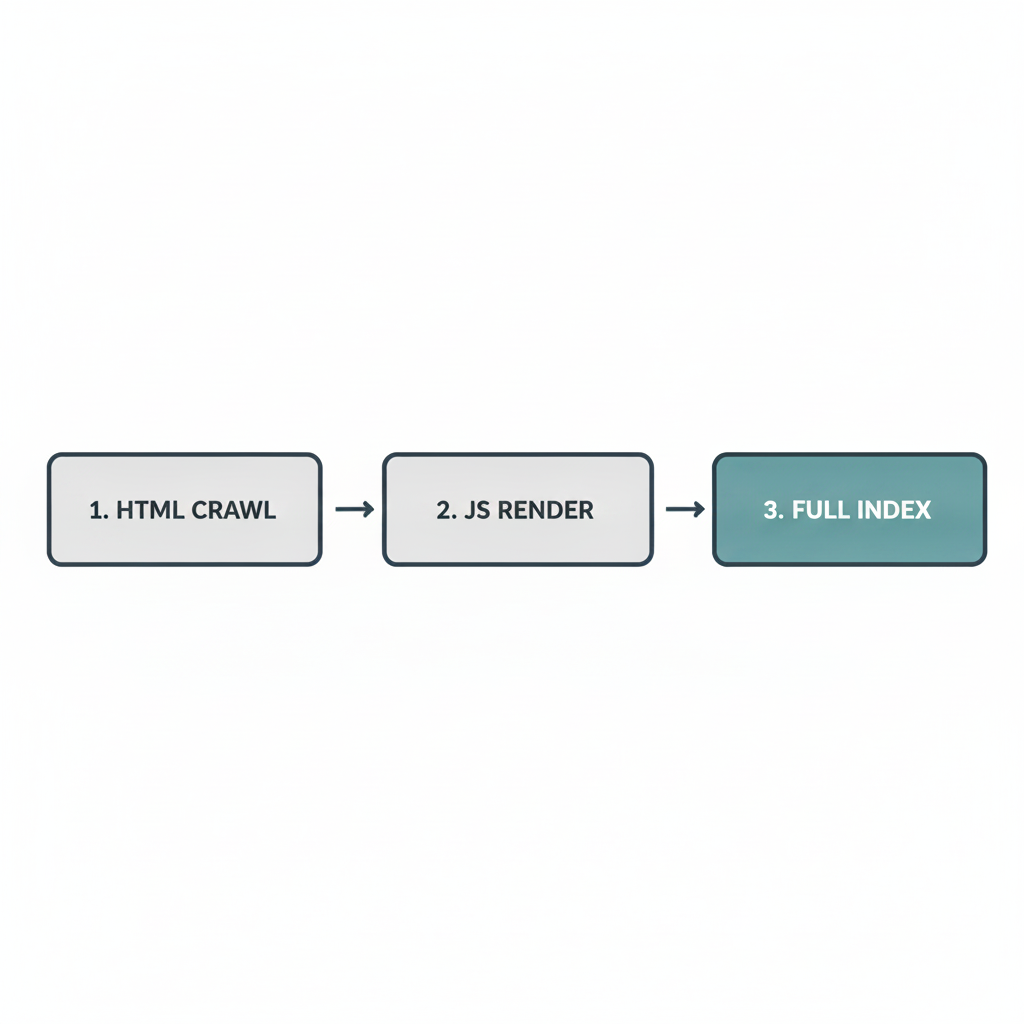
Unlike traditional websites that send fully formed HTML from the server to the browser, single page applications rely heavily on the client’s browser to execute JavaScript and assemble the page. This forces search engines to rely on a two-wave indexing process. In the first wave, a crawler like Googlebot parses the raw HTML response. If the initial HTML is mostly empty—save for a root <div> and some script tags—the crawler indexes a blank page and queues the URL for rendering later.
In the second wave, the search engine allocates rendering resources to execute your JavaScript, fetch data, and finally see the content. This happens only when resources permit. Relying on this delayed second wave is a common pitfall in JavaScript SEO for SaaS, where heavy client-side rendering often leads to crawl timeouts. If your scripts take too long to execute or if your API endpoints are slow, the crawler will simply move on, resulting in partial indexing or completely missed pages.

Step-by-Step Diagnostic: Testing Your App's Indexability
The first step in fixing an invisible application is confirming exactly what the search engine sees. Google Search Console provides a URL Inspection tool that is vital for this process. By entering a specific page URL and selecting "Test Live URL," you can view the rendered HTML exactly as Googlebot processes it.
Once you have the rendered output, compare it meticulously against the initial source code and the fully rendered Document Object Model (DOM) in your own browser. Look for missing critical content blocks, navigation menus that fail to load, or meta tags that remain absent in the bot's view. Pinpointing the exact elements being ignored allows you to determine whether the issue lies in slow API calls, blocked rendering resources, or an overly complex component tree that times out during the crawl.
Architectural Fixes: SSR vs. Dynamic Rendering SEO
When your diagnostic reveals that search engines are struggling to render your content, the solution requires a shift in how you deliver your application architecture. Migrating to Server-Side Rendering (SSR) offers the most robust, long-term fix, particularly for React website SEO. SSR runs the application logic on the server, sending fully populated HTML to the browser and the bot simultaneously.
If a full architectural rewrite is not feasible in the short term, dynamic rendering SEO serves as an effective bridging solution for legacy SPAs. Dynamic rendering detects whether the visitor is a human or a search engine bot; humans receive the normal client-side app, while bots are served a pre-rendered, flat HTML snapshot of the page.
| Architecture | Resource Cost | Implementation Time | Crawlability Benefit |
|---|---|---|---|
| Server-Side Rendering (SSR) | High | High | Excellent (Immediate indexing in first wave) |
| Static Site Generation (SSG) | Low to Medium | Medium | Excellent (Pre-built flat HTML files) |
| Dynamic Rendering | Medium | Medium | Good (Serves snapshot directly to bots) |
Adopting modern coding practices that support search engine visibility ensures that whichever rendering strategy you choose, your infrastructure remains resilient and adaptable to future search engine updates.
Core Routing Fixes: How to Make Single Page App Crawlable
A perfectly rendered page still fails to rank if search engines cannot navigate to it. Knowing how to make single page app crawlable hinges largely on how you handle links and routing. Many developers mistakenly rely on JavaScript onclick events or button wrappers to handle internal navigation. Search engine crawlers do not click buttons or execute custom router events; they look for standard <a href="/path"> tags. Ensuring every internal link uses a proper anchor tag is an absolute necessity.
Additionally, routing must rely on clean, distinct URLs rather than hash-based routing (e.g., /#/about). You must configure the HTML5 History API properly to ensure every view changes the URL cleanly and natively. The server must also be configured to return appropriate HTTP status codes, such as serving a hard 404 for missing content instead of dynamically loading a "page not found" component under a 200 OK status.
Ensuring clean markup and crawlable links help capture emerging AI search traffic, as both traditional crawlers and modern AI parsers rely on fundamentally sound HTML pathways to discover and contextualize your content.
Frequently Asked Questions About JavaScript SEO
Does Google penalize sites built purely with React or Angular?
There is no manual or algorithmic penalty for using JavaScript frameworks. However, client-side reliance shifts the heavy lifting of rendering onto the search engine. This increases the risk of crawl timeouts and indexing delays, which can passively harm your organic performance.
How long does the JavaScript rendering queue usually take?
While the rendering process happens much faster today than it did years ago, it is not instantaneous. Depending on your site's crawl budget and the complexity of your scripts, it can still delay full indexing by several hours or even days.
Can I rely on Googlebot to execute my API calls?
You should never rely on search engines to wait for slow external API responses. If your content depends on third-party data loading asynchronously, the crawler will likely abandon the page before the data arrives. It is always safer to hydrate critical data server-side.
Is dynamic rendering still supported by search engines?
Yes, search engines still support it and can process it effectively. However, Google considers dynamic rendering a tactical workaround rather than a long-term strategy. It remains a valid, immediate fix for indexability issues while you plan a transition to SSR or SSG.
Why are my dynamically injected meta tags not appearing in search results?
If your SEO meta tags (like titles and descriptions) are injected too late in the page lifecycle by JavaScript, crawlers may abandon the page before reading them. Critical metadata must be injected server-side so it is present in the initial HTML payload.
Next Steps for a Search-Ready Architecture
Technical SEO for single page applications is rarely solved with a single plugin or quick fix. Uncovering and unblocking rendering bottlenecks is the critical first step in making any SPA competitive in organic search. By transitioning to server-side rendering, deploying clean HTML routing, and ensuring bots immediately see your most valuable content, you establish a baseline for actual growth.
Taking these technical steps prevents search engines from encountering blank walls, allowing your application's speed and user experience to finally contribute to your organic visibility. If you are preparing to launch a new product or need to audit a struggling application, exploring SurgeOrb's software solutions can help you build and support robust, crawl-friendly web architectures from day one.
Related SaaS Growth & SEO Guides
To build a cohesive search engine acquisition funnel, explore these companion playbooks from the SurgeOrb Growth Library:
- Programmatic SEO for SaaS: Scale Landing Pages Safely
- Lean SaaS SEO Strategy: Outrank Giants on a Startup Budget
- Content Decay SEO: The Playbook to Refresh Old Blog Posts
Ready to audit your technical foundations? Run a free real-time scan of your landing pages, schema markup, and meta tags with the SurgeOrb Website Audit Tool, or generate rank-ready long-form articles in minutes using our AI Blog Writer.


