Forest App Outdated? 6 Must-Have Productivity & Study Apps for Students
Forest, GoodNotes, and Notability are well-known study apps, but today I'm recommending a brand new, free app that is a must-have for DSE students! First up is Study Bunny: Focus Timer – an adorable productivity app featuring a cute bunny concentration timer.
Forest, GoodNotes, and Notability are all familiar study apps. But the apps I'm recommending today are newly launched, free to use, and absolutely a godsend for DSE students!!!
1. Study Bunny: Focus Timer – Cute Bunny Productivity App

Study Bunny is a cute focus timer. Students can earn coins by studying, which can be used to buy in-app music and accessories for their bunny.
If you love hand-drawn aesthetics, I personally highly recommend you download it ❤️
Additionally, the app includes a to-do list, flashcards, and a customizable study tracker.
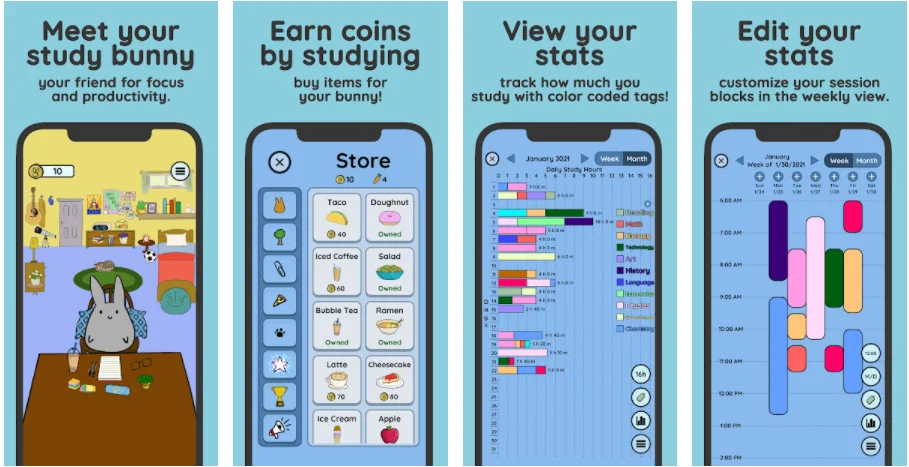
Google Play Download: Study Bunny: Focus Timer
Apple App Store Download: Study Bunny: Focus Timer
2. Word Up – A.I. Algorithm for English Vocabulary Flashcards & Practice Questions
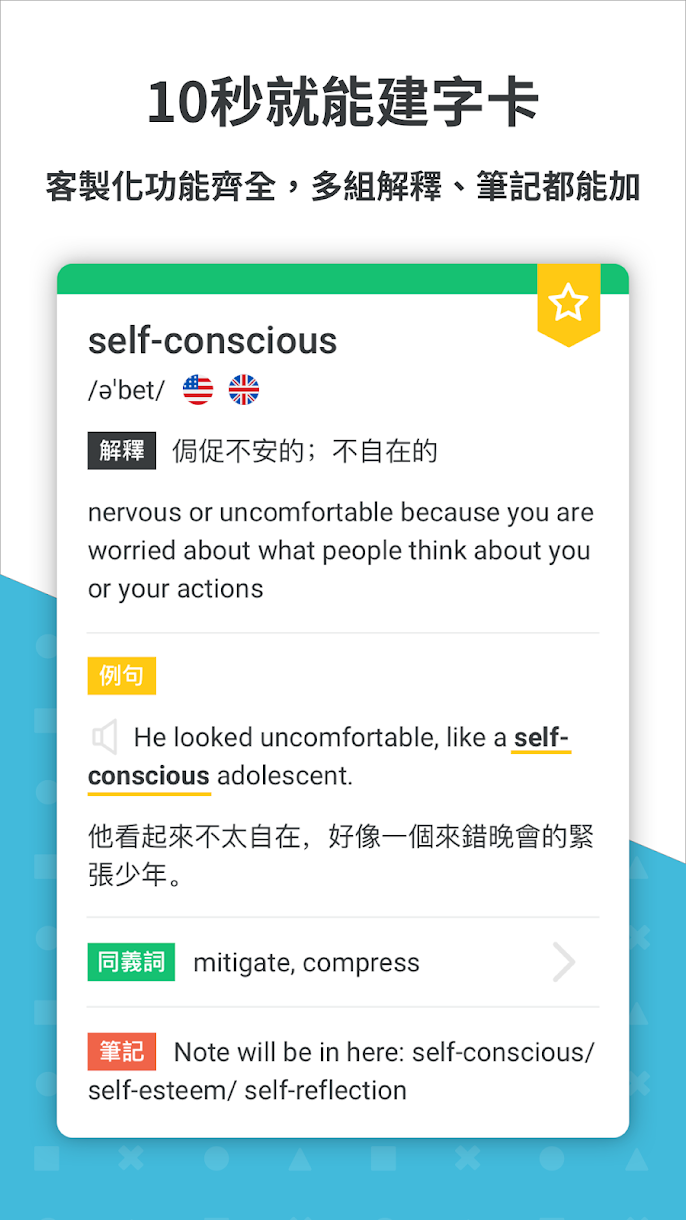
【English Vocabulary Flashcards】
Do you often forget words right after looking them up in daily life? Word Up has a built-in dictionary link, allowing you to create a completely customized flashcard in just 10 seconds after looking up a word in the app.
Review for 5 minutes a day, and you'll never forget again!
Word Up's A.I. algorithm continuously records your learning progress and automatically recommends the words you should review right now.
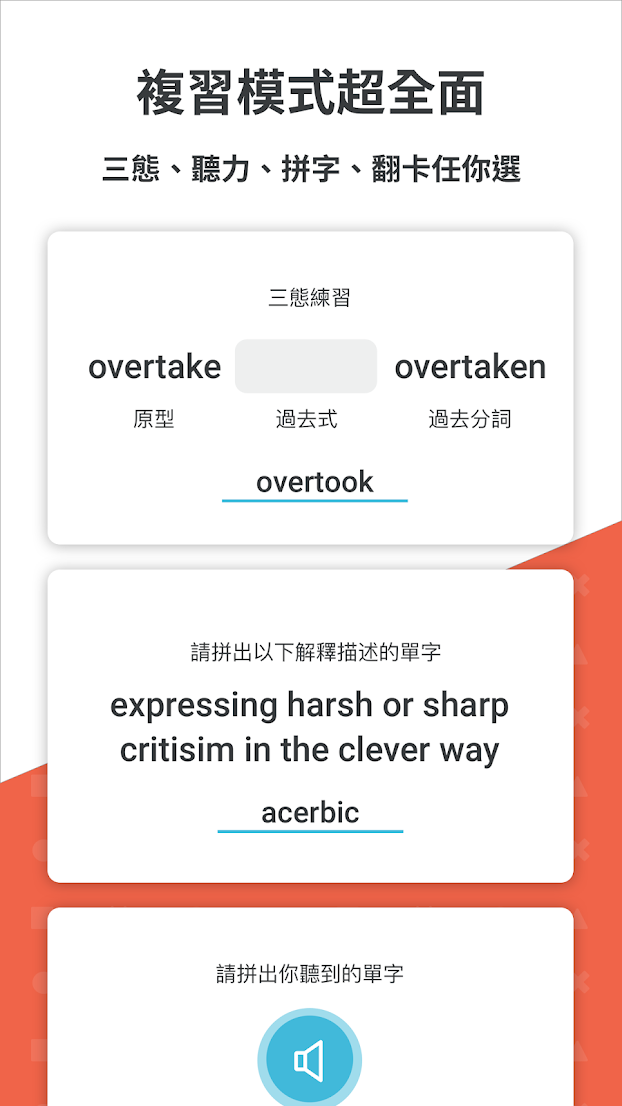
【Practice Question System】
Knowing words doesn't mean you can answer questions!
To prepare for exams, you still need to practice questions. Word Up has a practice question system that lets students combine vocabulary with questions to effectively improve their English answering abilities.
Google Play Download: WORDUP Vocabulary Savior + Practice Question God-tier Tool
Apple App Store Download: WORDUP Vocabulary Savior + Practice Question God-tier Tool
3. MS Math Solver – Microsoft's Automatic Math Problem Solver King
Is Forest: Stay Focused outdated? 6 popular learning/productivity apps students must have 9
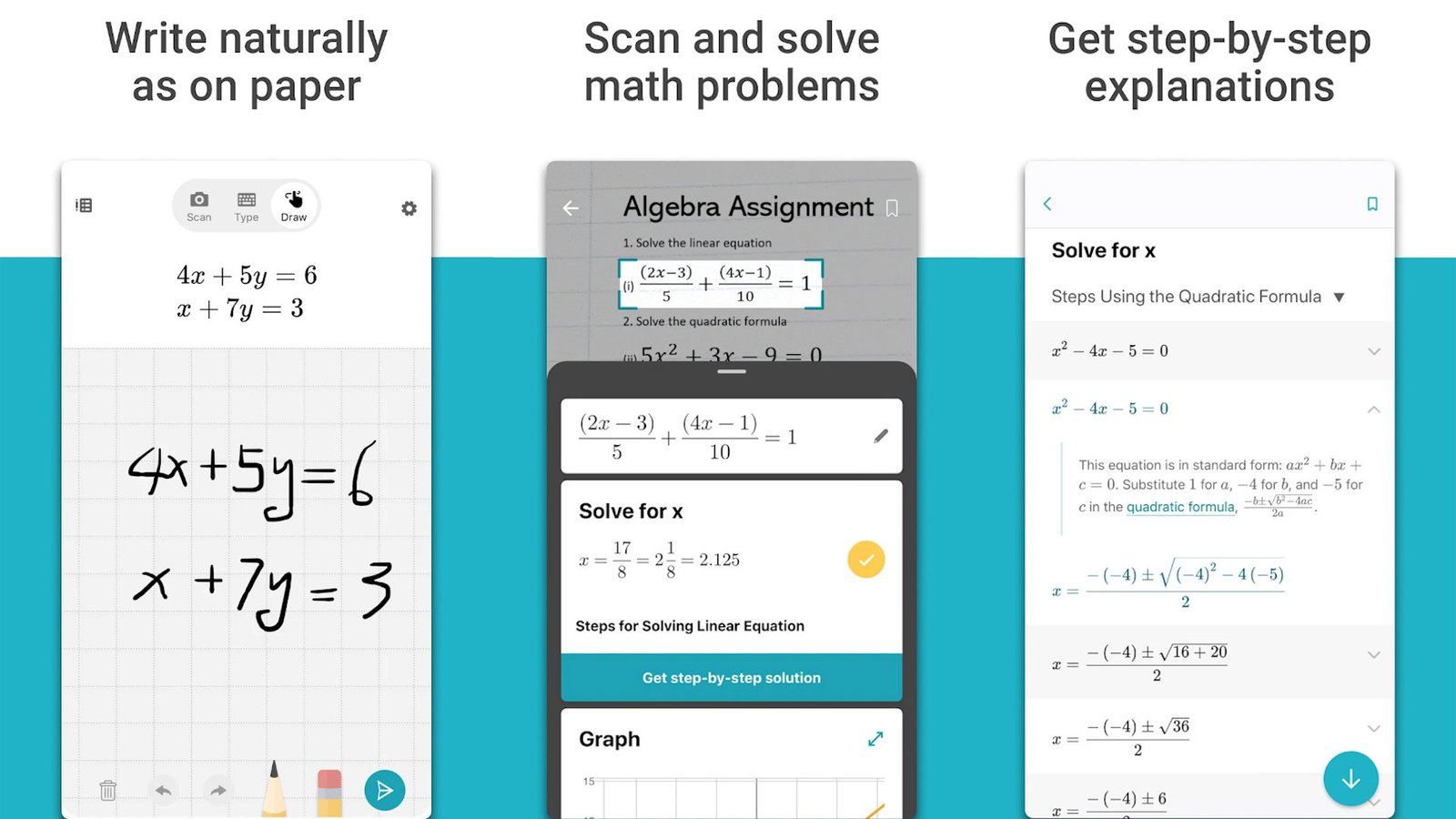
When you encounter a math problem whose steps you don't know, simply enter the problem into MS Math Solver to get detailed, step-by-step explanations.
MS Math Solver uses an advanced AI-powered math solver to assist with a variety of problems, including arithmetic, algebra, trigonometry, calculus, statistics, and other topics.
Students simply write a problem on the screen or take a photo of a math problem with their camera. MS Math Solver will instantly recognize the problem and help them solve it with ?free detailed step-by-step explanations?, coordinate graphs, similar problems found online, and online video lectures.
Google Play Download: Microsoft Math Solver
Apple App Store Download: Microsoft Math Solver
4. SwiftScan – Note-taking, Error Log Hand-copying Free Tool
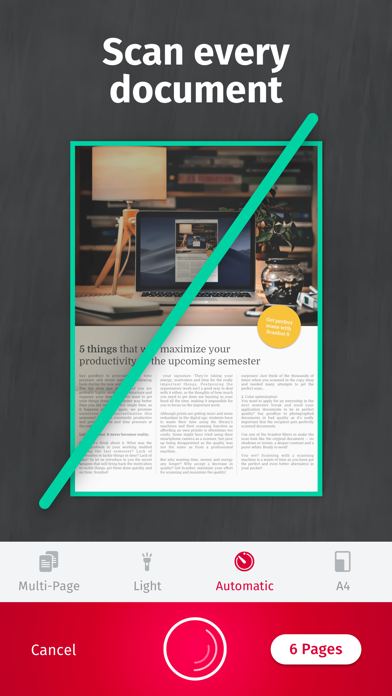
Many people emphasize the importance of an error log, but the time spent creating one might hinder time spent answering questions. SwiftScan can quickly create error collections and notes.
SwiftScan is a mobile scanner app for documents and QR Codes, capable of creating high-quality PDF or JPG scans for free. You can crop documents and optimize colors.
Google Play Download: SwiftScan
Apple App Store Download: SwiftScan
5. Exam Countdown Lite – Exam Day Countdown Timer
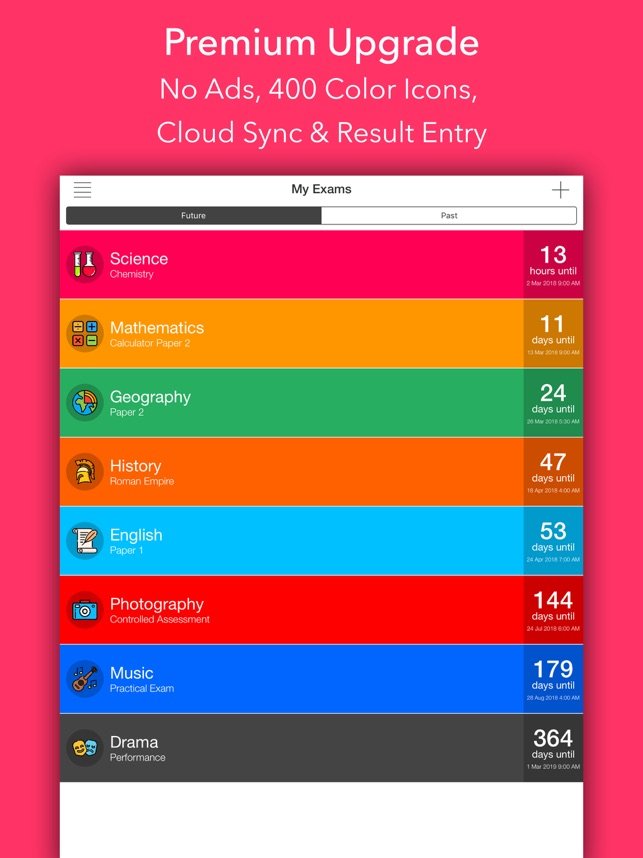
Exam Countdown Lite
Exam Countdown Lite is a countdown timer app with a simple user interface, including reminder and exam schedule functions.
Clearly knowing the distance to the exam date allows students to arrange their study schedule more reasonably and effortlessly.
Google Play Download: Exam Countdown Lite
Apple App Store Download: Exam Countdown Lite
6. XMind – Universal Logic Mind Map Generator
Is Forest: Stay Focused outdated? 6 popular learning/productivity apps students must have 10
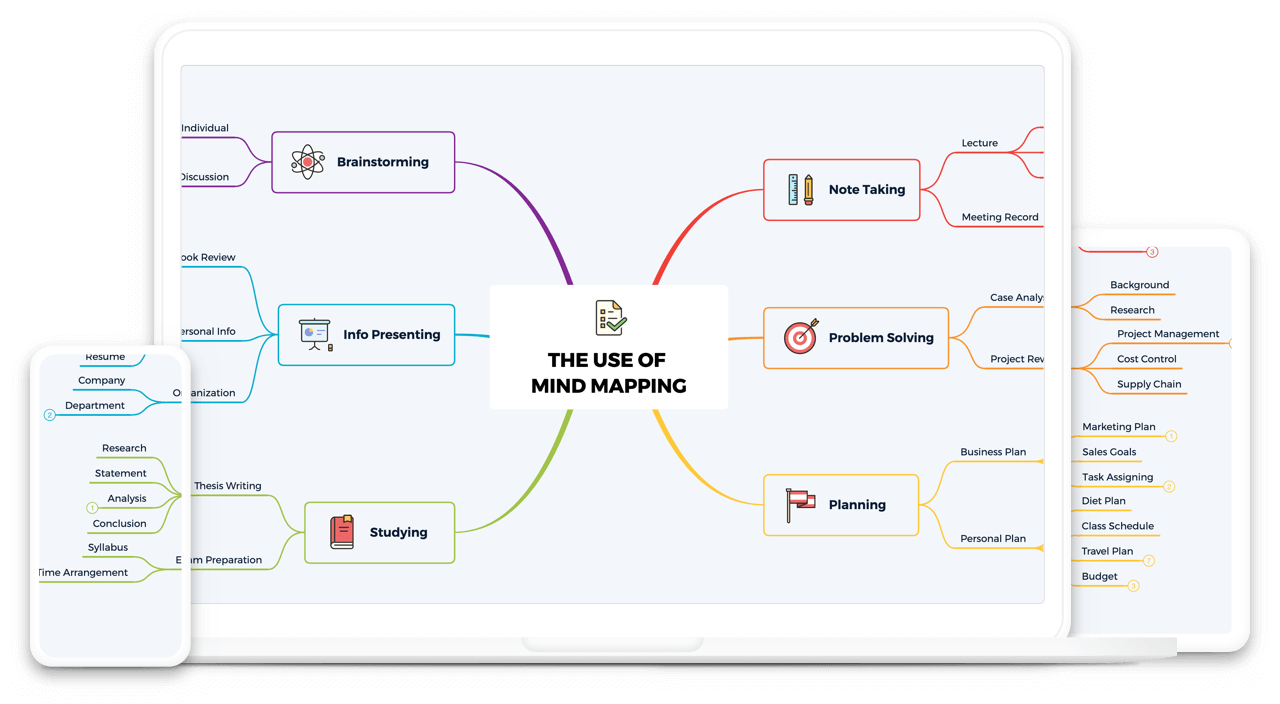
XMind is a full-featured Mindmap and Brainstorming tool designed to generate ideas, spark creativity, and bring efficiency to work and life. XMind comes with various beautiful and practical templates, including mind maps, logic charts, timelines, tables, etc., suitable for content across different subjects.
XMind's quick note-taking function might not compare to note-taking apps like GoodNotes and Notability, but it's still very practical as a tool for organizing and reviewing notes after class!
For example, history students can use timelines to organize historical events, chemistry students can use tables to distinguish reactions of different elements, and biology students can use mind maps to organize knowledge points, such as using "Proteins" as the center and branching out into "What," "Test," "Types," "Functions," etc.
Download: XMind
Afterword
"To do good work, one must first sharpen one's tools." Students/parents are welcome to leave comments below with their favorite and highly recommended study apps.
The above is shared based on my personal experience. If students have any user experience, you are also welcome to share it below ?
Actually, studying doesn't have to be a lonely burden! Flowclass has just launched its private tutor function!
Information is completely transparent, allowing free contact, so you'll never be mismatched with a tutor again!
If interested in learning more? Please click here